
Useful Mobile Apps for Your Trip to South Korea
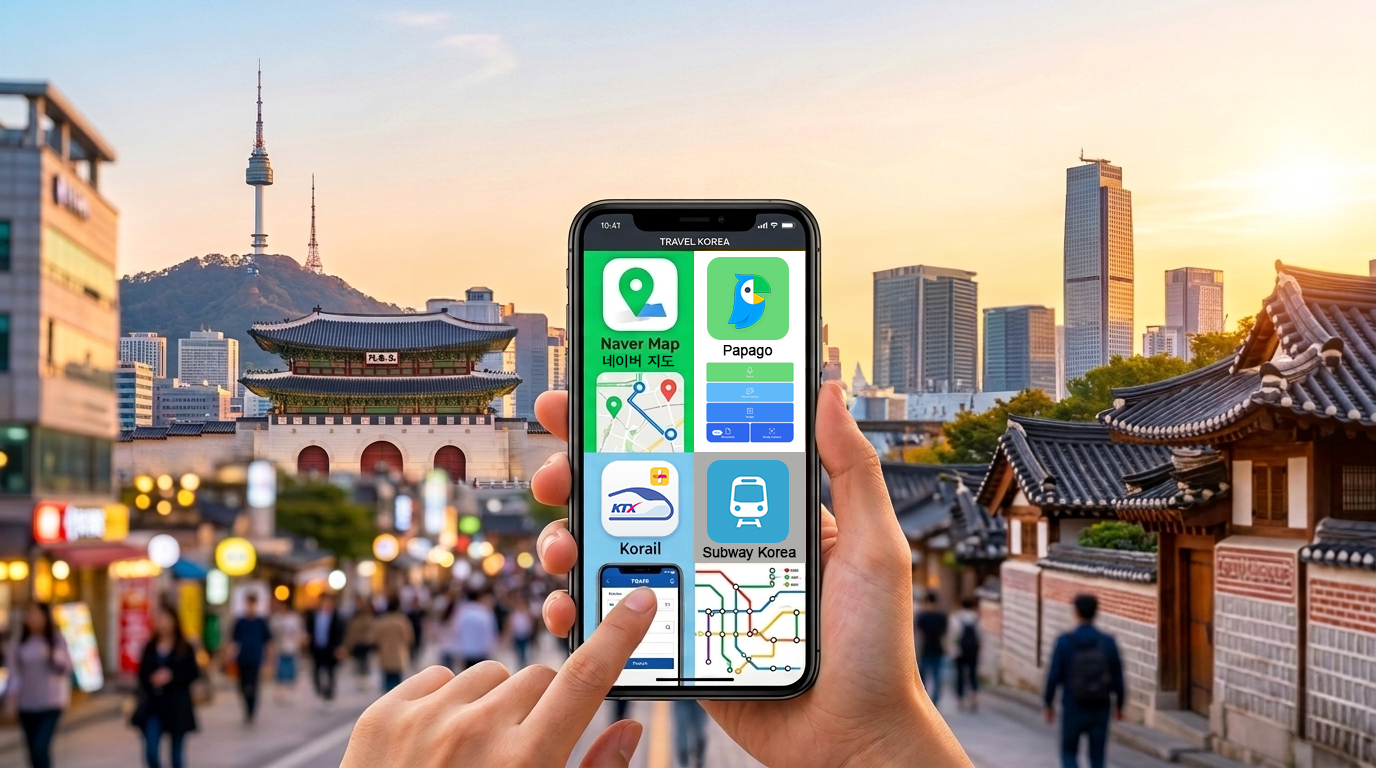
South Korea is one of the most technologically advanced societies in the world — but travelers are often surprised to find that their usual apps don’t work the same way here. Google Maps is all but useless. Apple Pay isn’t widely accepted. For those who are unprepared for this reality, it can lead to some unnecessary friction and stress. I’m here to help you avoid that.
Part of the challenge is that Korea has its own ecosystem of local apps for navigation, transportation, and everyday logistics. There’s no single app that does everything. Even locals use a mix—one for planning, another for real-time updates. It works well once you get used to it, but it’s not immediately obvious when you first arrive.
As Korea continues to grow as an international travel destination, its systems are gradually becoming more foreigner-friendly. But for now, there are still some growing pains, and the country can be a bit tricky to navigate—especially outside of the most tourist-heavy areas of Seoul. Figuring out public transportation, dealing with language barriers—these are legitimate challenges, but they’re manageable with the right tools.
In this guide, I’ll walk you through the apps I actually use in my daily life as someone who lives here. This isn’t a list of “must-have” downloads. It’s a practical look at the apps that make traveling in Korea easier, what each one is best at, and which ones are worth your time—based on how things really work here.
Navigation
Swap Google Maps for Naver Maps
For getting around, you’ll need to ditch Google Maps. It just isn’t useful in Korea. There’s a systemic reason for this. Due to the threat posed by North Korea, the South Korean government classifies detailed geographic data as sensitive for national security reasons. Google has therefore repeatedly been denied permission to use full, detailed Korean map data. South Korea only allows its detailed mapping data to be stored on domestic servers, and they’ve never been able to reach an agreement with Google on this point. In practice, this means that Google Maps is crippled in Korea compared to its normal functionality: turn-by-turn driving navigation is unavailable, public transit directions are missing or incomplete, and walking directions are inconsistent and unreliable. Furthermore, because Koreans don’t use it, the Google Maps database of business information and locations is severely lacking.
The good news is that there’s a home-grown alternative that does everything Google Maps can normally do: Naver Maps. If you only download one app from this guide, let it be this one. It has excellent turn-by-turn driving navigation (I personally use it all the time), accurate business listings and addresses, and up-to-date public transit information. And most importantly — you can adjust the language settings to English. It should be noted though that searching place names in English can be hit or miss due to inconsistent romanization. For best results, copy and paste the Korean name of wherever you’re trying to go, if you can.
You may also hear about another app called Kakao Maps. This one is also popular locally, and for the most part, it’s functionality is as good as Naver. However, some have commented that Kakao Maps is less foreigner-friendly by comparison, so Naver Maps gets my top recommendation.
Public Transport
How to get around by train, subway, bus, or taxi.

Subway Korea & KakaoMetro

Seoul has one of the most extensive subway networks in the world, but using it is a breeze with the Subway Korea app. No matter where you find yourself in the capital, you’ll never be far from a subway station, making this one of the most convenient ways to get around the city. The Subway Korea app is very straightforward and user-friendly, and it can be used in English. Every subway map you see around the city will include English station names under the Korean name, and those English names correspond to what you see in the app. You can check schedules, see transfer information, get ETA estimates, and more. Even better — if you’re traveling to other Korean cities with their own subway networks, like Busan, Daegu, or Gwangju — you can access the same information for those cities as well. No need to download a separate app.

An alternative to Subway Korea is the KakaoMetro app. This one is more preferred by locals, due to the fact that it includes live, real-time arrivals and delay information (something Subway Korea lacks). It can also tell you the optimal place to position yourself on the train for transfers between lines (e.g. Car 5, Door 3).
Bottom line: both apps are great, but each has its advantages. Subway Korea is more streamlined, with a cleaner UI, and can be used offline. KakaoMetro requires an internet connection, but it features live updates and better transfer guidance. Whichever one you choose, you’ll be zipping around the city like a local in no time.
Korail & SRT

These are the apps that you’ll need if you want to travel around the country by train. They cover two separate train systems that overlap. Korail has nationwide coverage and includes nearly all train routes, while SRT is limited to specific high-speed train routes. Both apps can be used in multiple languages and support payment with international credit cards.
If you’re only staying in Seoul for a few days, you can skip these. They are only useful for traveling longer distances between cities.
KakaoBus

This one is for local buses, and it is essentially the bus equivalent of KakaoMetro. The KakaoBus app shows exact bus arrival times, displays live bus location on the route, and updates dynamically based on traffic. In Korea—where bus schedules are basically meaningless— this is not only useful, it’s essential.
Pro Tip: The KakaoBus app is best used in conjunction with Naver Maps. While KakaoBus will give you detailed information about all buses arriving at a given bus stop, it’s not optimized for route planning or providing transfer information. So use Naver Maps to plan your route, then switch over to KakaoBus to track the actual bus in real time.
What about inter-city and express buses?

This is, unfortunately, the biggest gap in Korea’s tourism infrastructure. At this time, there is no reliable native Korean mobile app (or website, for that matter) for foreign visitors looking to book inter-city or express bus tickets. This is a shame, because inter-city buses are reliable and inexpensive, especially when compared to KTX and SRT (high speed rail) tickets. Locals use an app called Express Bus T-Money, but this option is mostly off-limits for tourists. The app is primarily in Korean (no option to change to English), requires identity verification (which requires a Korean phone number), and doesn’t accept international credit cards. There is a website (Kobus) on which you can access the same booking platform in English, but reports say that verification and payment incompatibility are still roadblocks for tourists.
So, if you want to travel between Korea’s cities by bus — what should you do? You have two options. First, you could go to the bus terminal and buy a paper ticket in person. The ticket kiosks usually support English, and the terminal staff can assist you. On the other hand, if you need to book in advance, use Klook. Klook is an international booking platform that sells and aggregates travel services, particularly in Asia. It is built specifically for international credit cards, and it acts as a bridge over Kobus.
How to pay for public transport (subway and local buses)
You can use cash, but it’s not the most convenient option — especially for the subway, as you’d have to buy an individual ticket for every ride. There’s an app you can use, but it’s probably more trouble than it’s worth. Your best option is to get a physical T-Money card. These can be purchased at Incheon Airport, in major hub stations (e.g. Seoul Station), and at convenience stores (7-11, CU, GS-25) all over the country. You top up the card with cash at the convenience store or at kiosks located in most subway stations. Tap to pay, and you’re good to go.
There is also a Mobile T-Money app. A year ago, I wouldn’t have recommended this option for foreign visitors, but recent updates have made it a little more tourist-friendly. The app now includes a “foreigner” sign-up option, is supposedly compatible with international credit cards, and it can be integrated with Apple Wallet — at least in theory. In practice, this feature has only recently been rolled out and can still be a bit buggy.
Ultimately, I would recommend just getting a physical T-Money card. It’s the simplest option, and it will work without fail.
The hard truth is there is no single perfect, unified app for navigating public transit options in Korea. The country has optimized precision over integration — so, instead of one unified app that does everything pretty well, we have multiple apps that do one thing extremely well. If using multiple apps feels too unwieldy, my recommendation would be to stick with Naver Maps. It’s the closest thing to an all-in-one transit app, as it includes route and transfer information, real-time arrivals for buses, walking directions, and so on — even if it doesn’t include the precision of some of the other apps listed here.
Taxis
Three options — each with its own pros and cons

Uber

Yes, Uber still works in Korea, but not quite the way it does back home. In Korea, the app connects you to licensed taxis only, not private drivers. If you already have an existing Uber account, this is probably your easiest option, but there are a few caveats.
Pros:
Government-regulated fares
Works instantly with your existing account
Accepts international cards seamlessly
Cons:
Fewer available cars (especially outside Seoul)
Slower matching during peak times
Much smaller market share compared to Kakao Taxi
Kakao Taxi (Kakao T)

This is the default taxi app used by locals. It has a massive driver network and nationwide coverage. However, even locals sometimes find it frustratingly difficult to find a driver at peak times.
Pros:
Fastest matching (most drivers use it)
Cheapest (standard taxi pricing)
Works everywhere in Korea
Real-time tracking, route preview
Cons:
Requires Kakao account (a Korean phone number may be required)
Foreign card registration can be buggy (but you can select an option to pay the driver directly)
K.ride

This one is relatively new, and it is designed specifically for foreign users. No Korean phone number required, easy sign-up, accepts international cards, and usable in multiple languages. I have to admit that I haven’t used this one myself, but it does seem like a promising step in the direction of making taxis more accessible for visitors. While K.ride seems to be more tourist-friendly than Kakao Taxi, it’s not without its downsides. There are reports that it’s more expensive (20-40%), is often limited to premium taxi options, and has a smaller pool of available cars.
A Word of Caution: You can always just try to flag down a taxi on the street the old-fashioned way. But be warned — Korean taxi drivers have been known to scam tourists. If a driver tries to negotiate or quote you a fare before he starts driving, rather than using the meter — walk away. The authorities have been trying hard to crack down on this, but it still happens, unfortunately. If you use one of the apps mentioned in this guide, you won’t have anything to worry about. You’ll see the fare indicated in the app before you get in the car, and you can accept the ride without fear of being swindled.
Language

The language barrier is one of the most significant challenges of overseas travel, and Korea is no exception. Nearly all Koreans have studied English at some level in school, but in reality the average person’s ability to converse in English tends to be very limited. While you can easily see English-language signage all over the country, this is mostly a cosmetic choice rather than a reflection of a real embrace of the language. The truth is, outside of major tourist areas, you will not easily find English language restaurant menus or locals with whom you can fluently communicate. For these reasons, having a reliable translation app installed on your phone is an absolute necessity.
Papago vs. Google Translate

Papago is Korea’s translation app. Most people say it is superior to Google Translate. Personally, I’m not entirely convinced that’s true — but I’m in the minority, it seems. For translating English to Korean, Papago probably is better. But translating Korean to English can sometimes result in some awkward phrasing. That being said, neither app is perfect, but both are still incredibly useful. Both offer features like conversation mode and image translation — meaning you can snap a photo of a sign or menu that’s written in Korean and instantly translate it to English. As an expat who has lived here for 15 years, I still use these apps almost daily, and I never would have survived my first year in Korea without them.
You really only need one of them, so if you’ve already got Google Translate on your phone, stick with that. But if you want to use the translation app most Koreans prefer, go with Papago. All things considered, either app will work just fine.
I also want to mention that AI apps like ChatGPT are an option as well. I say this knowing that a growing number of people are morally opposed to using generative AI, so feel free to disregard this suggestion if it doesn’t align with your ethics. However, it has to be said that AI translation is more intuitive and can understand context better than a standard translation app. Do with that what you will.
Honorable Mention: Naver English Dictionary

This one is not essential for the average tourist or for everyday use, but for the language-curious traveler, the Naver English Dictionary app is better than Papago or Google if you want a deeper understanding of a particular Korean word. Where Google Translate and Papago will give you the best word-to-word translation, Naver English Dictionary will give you multiple definitions, contextual information, and example sentences.
KakaoTalk for Local Communication

If you’ve made it this far, you’ve probably noticed by now that Korea tends to have its own home-grown alternatives to more globally-recognized apps (Naver vs. Google, Kakao Taxi vs. Uber, Papago vs. Google Translate, etc). Well, while much of the world is using WhatsApp for sending and receiving messages, Koreans are using KakaoTalk. This is an app that every single Korean person has on their phones, and it is the primary means of text-based communication for Koreans of all ages. It’s ubiquitous. KakaoMetro, KakaoBus, KakaoTaxi are all spawns of KakaoTalk — the original all-mother Korean app. The Kakao apps are all integrated and can be operated with a single account.
Is KakaoTalk a necessity for tourists? Probably not. But it wouldn’t hurt to have, and it could streamline your experience with the other apps in the Kakao suite. Plus, having KakaoTalk on your phone would ensure that you’ll have no problems reaching anyone in the country that you might need to connect with. For example, your Airbnb host might be reachable by WhatsApp, but they are almost certainly reachable by KakaoTalk. Furthermore, some businesses (restaurants, clinics, tour companies) may prefer KakaoTalk for updates, confirmations, and so on.
So even though this one might not be strictly necessary, you should at least be aware of its existence, due to the way it is inextricably woven into everyday Korean life. If you make any local friends, they might ask for your Kakao ID. At least now, you’ll know what they’re talking about.
Practical Note about Apple Pay
You may be wondering if you can use Apple Pay in Korea — the answer is yes, but not always. It’s complicated. Apple Pay exists in Korea, but its use is limited and many vendors have been slow to adopt it. Foreign visitors can use their existing Apple Pay setup (Visa, Mastercard, Amex) without the need for a Korean bank account, Korean card, or any additional setup or registration. The big limiting factor is acceptance. For Koreans, Apple Pay is currently only usable with a Hyundai Card — meaning it is much more limited than Korea’s own local mobile payment systems, such as Kakao Pay and Naver Pay (surprise, surprise — more Kakao and Naver apps). For this reason, many merchants haven’t fully upgraded their systems to accept Apple Pay. You can probably use it at large chains (Starbucks, McDonalds), department stores, and some convenience stores. But it’s best not to rely on it. Small restaurants, local cafes, street vendors, and taxi drivers almost certainly won’t be able to accept it.
The good news is that international credit cards are widely accepted, so there’s no need to worry.
In Summary
I realize that this is a pretty long list of apps, and I don’t mean to overwhelm. I’m just trying to be thorough. While all of the apps listed in this guide are useful, not all of them are essential. For those who want the bare minimum — Naver Maps and a good translation app (Papago or Google Translate) are the two absolute must-haves for all travelers visiting Korea. The others are all optional. They are handy, but if you’d rather not bother, you can survive without them.
